Noob vs Zombie 2
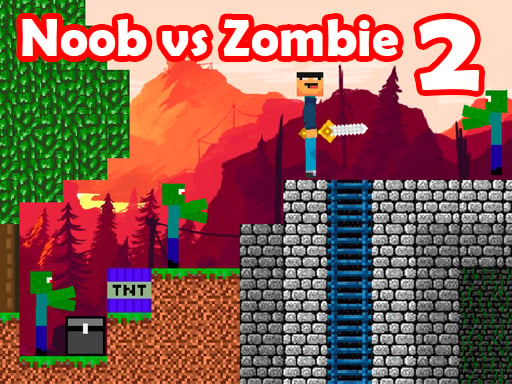
About Noob vs Zombie 2
Are you ready for a thrilling adventure? Look no further than "Noob vs Zombie 2" – the exciting sequel to the hit game! In this new edition, you'll navigate through labyrinths and biome mazes, battling against 1000 zombies with new items and bombs. Get ready to face new challenges and impassable labyrinths with automatic staircases. The pro has left Nubik in labyrinths with different zombies, and it's up to you to go through challenging mazes and defeat zombies in deadly battles to find the Pro and avenge his betrayal. But be warned: the cheater with its insidious technologies will get in your way. Use your coins to buy new weapons and improve them to defeat zombies and skeletons, earning even more coins as you go. Open chests with mysterious objects, gold, and bombs to help you along the way. With super addicting gameplay, "Noob vs Zombie 2" is even more exciting and interesting than its predecessor. Get ready for an epic battle between Noob vs Pro and take on 1000 zombies. Download "Noob vs Zombie 2" today and prove that you have what it takes to defeat the undead and emerge victorious!
How to Play Noob vs Zombie 2
WASD to move, mouse to interact with objects, E to use items.
What are the Different Features?
- Interactive Elements: Click and drag to interact with game objects
- Power-ups: Collect special items to enhance your gameplay
- Multiple Levels: Progress through increasingly challenging stages
- Scoring System: Earn points for completing objectives
Noob vs Zombie 2 Tips
- Explore thoroughly to find hidden items
- Talk to all NPCs for clues and quests
- Save your progress frequently
- Read all dialogue and examine objects
Controls
WASD to move, mouse to interact with objects, E to use items.
FAQ
How to Play Noob vs Zombie 2?
WASD to move, mouse to interact with objects, E to use items.
Noob vs Zombie 2 Tips
Explore thoroughly to find hidden items Talk to all NPCs for clues and quests Save your progress frequently Read all dialogue and examine objects
Can I play this game on mobile?
This game is optimized for desktop browsers, but may work on mobile devices.